


Nick Academy
2.846.00 Reviews
App Specs
- Version
- 1.18.17
- Updated On
- License
- Free
- Downloads
- 100,000+
- Developer
- Nick Academy
- Categories
- Educational
- Platform
- Android
Screenshots
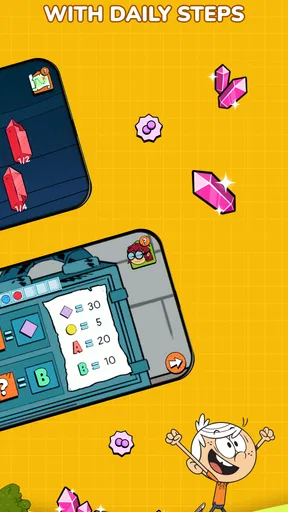

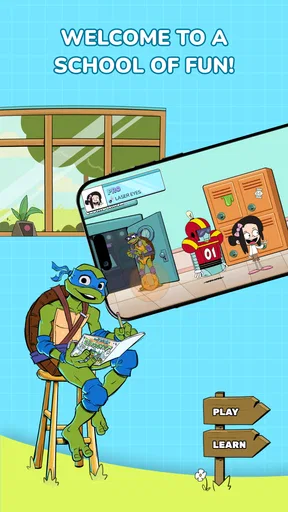
 Analysis by AppCompare
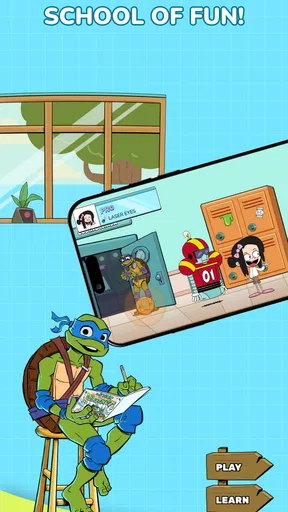
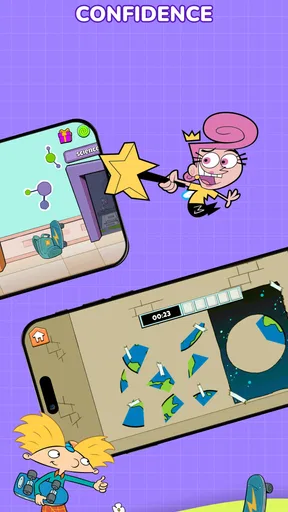
Nick Academy presents itself as a playful learning game for children, but my first impression was that its real appeal comes from how it turns several school subjects into short, character-led activities. Rather than asking a child to sit through a conventional lesson, it uses Nickelodeon characters as a familiar doorway into coding, science, math, and space. That makes the experience feel less like opening a digital textbook and more like choosing a small challenge during spare time.
I reviewed it as an educational game from Nick Academy, and I think its strongest quality is its approachable mood. The bright presentation and recognizable characters are clearly intended to reduce the intimidation that can come with subjects such as programming or astronomy. At the same time, parents should view it as a playful introduction rather than a complete replacement for structured teaching. Its best role is a low-pressure first step into STEM ideas, especially for a child who responds better to play than to worksheets.
The game is free to start, carries an Everyone age rating, and has passed the early discovery stage with over one hundred thousand installs. Its average rating is 2.8 from around two hundred fifty ratings, which tells me that expectations should be realistic. There is an audience for the concept, but the overall reception is mixed enough that I would try it with a child before treating it as a dependable long-term learning platform.
How the presentation turns lessons into a playable world
The visual language is built around Nickelodeon’s character appeal rather than a serious academic interface. That choice matters because children often decide whether to continue within the first few moments. A friendly character, colorful setting, and clear activity can make a difficult topic feel safe to explore. In this case, coding and space do not have to begin with technical vocabulary; they can begin with curiosity.
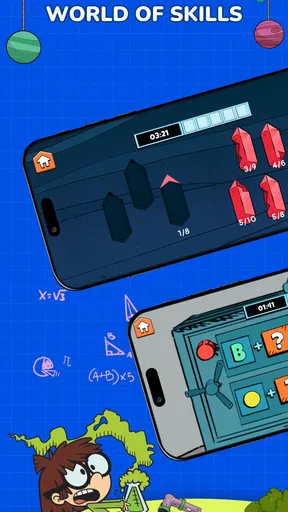
I also like the way the subject range gives the game a broader identity than a single-purpose math trainer. A child can move between coding, science, math, and space, so the experience has room to match different interests. One child may be drawn to logic-based tasks, while another may prefer questions connected to planets or scientific discovery. That variety is useful when attention shifts quickly, although it can also make the experience feel less focused than an app built around one carefully sequenced curriculum.
The Nickelodeon setting is not just decoration. It provides an emotional frame for learning. Familiar characters can make an unfamiliar task seem like part of an adventure, even when the underlying activity is practicing a basic concept. I found this particularly helpful for reluctant learners: the game gives them a reason to start before asking them to care about the lesson itself.
There is a trade-off, however. Character-driven design can attract a child more effectively than a plain educational interface, but it does not automatically guarantee depth. Parents should watch what the child actually learns after the novelty wears off. If the child can explain the idea, solve a similar problem away from the screen, or apply the concept in a new context, the game is doing more than entertaining. If the child only remembers the characters, its educational value is narrower.
Worth Reading Before You Choose

EA SPORTS FC Mobile 26 Is a Bigger Football Game, but It Takes Time

Flipboard Shows What News Apps Must Do Beyond the Feed

Switching to Android Auto Means Rethinking Your Driving Routine

Google Calendar Makes a Crowded Week Easier to Manage

Ludo King Makes the Most of the Minutes Between Plans

Baby Panda World Brings Quick Play to Modern Phones, but Its Game Library Feels Busy
The setting also works best when an adult treats the activities as conversation starters. After a space-themed task, I would ask the child why an answer worked instead of simply celebrating a correct tap. After a coding activity, I would invite them to predict what might happen if the order changed. This small habit turns the game from a passive reward loop into a chance to build reasoning and vocabulary.
A useful fit for short learning windows
Nick Academy makes the most sense in everyday moments when a child has limited time but still wants something interactive. A parent waiting for an appointment, a quiet period after homework, or a short weekend break can become a chance to explore one subject without committing to a full lesson. The character presentation lowers the barrier to entry, while the mixture of topics helps prevent the session from feeling repetitive.
One realistic routine would be to let a child choose one activity after finishing schoolwork, then spend a few minutes discussing the idea afterward. The important part is not extending screen time indefinitely. It is using the game as a compact prompt: solve something, notice a pattern, and connect it to the real world. That approach suits the app better than leaving it open as an unsupervised substitute for teaching.
Families looking for a calm, focused study tool may find the presentation too playful. A child preparing for a specific exam, practicing a defined school skill, or needing detailed progress tracking would probably be better served by a dedicated mathematics, coding, or science application. Nick Academy’s advantage is breadth and accessibility, not specialist precision.
Sound, pacing, and the feel of each session
The game’s mood depends on the same balance as its visuals: it needs to feel energetic enough to hold attention without making the learning feel frantic. Nickelodeon’s identity naturally suggests a lively tone, and that can help a child stay engaged with a task that might otherwise seem dry. The danger is that a busy presentation can compete with the question itself, especially for younger players who are easily distracted by movement and character reactions.
For me, pacing is more important here than raw content volume. Educational games work when the player has enough time to understand why an answer is right or wrong. If the rhythm pushes a child immediately toward the next reward, the experience can become guessing practice. I would encourage parents to notice whether the child pauses to think or simply taps through familiar visual cues. That observation says more about the learning quality than the speed of completion.
The short-session structure is also a strength when used deliberately. A child does not need to complete every subject in one sitting. Choosing one area, stopping while interest remains, and returning later can create a healthier rhythm than chasing every available activity. This is one of the more practical ways to use the game: treat it as a collection of small learning visits rather than a destination that must be exhausted.
That rhythm may not satisfy children who want a deep, continuous adventure. The app is not the right choice for someone seeking a large narrative world with long-term character progression or complex challenges. Its atmosphere is designed to make learning approachable, not to deliver the sustained tension of a traditional adventure game.
Why the mood helps, and where it can get in the way
The cheerful setting gives children emotional permission to make mistakes. That is valuable in coding and mathematics, where fear of being wrong can stop experimentation. A child who sees an error as part of a playful challenge may be more willing to try another approach. I would use that quality to encourage questions such as “What changed?” or “What would you try next?” instead of focusing only on the score or outcome.
On the other hand, parents should not assume that a colorful mood suits every learner. Some children concentrate better with minimal animation, quiet instructions, and a single subject at a time. For them, a more restrained educational tool may produce better results even if it looks less exciting. Nick Academy is strongest for children who enjoy character-led guidance and need motivation to begin.
The app’s current version is 1.18.17 and it runs on operating systems from version 10 onward. That makes checking device compatibility an important first step before planning to use it on an older phone or tablet. The game is free to download, but optional purchases range from $7.99 to $59.99 per item. I would review the purchase settings with a child before handing over the device, because a free starting point does not mean every part of the experience is included without cost.
That pricing structure changes how I would introduce it at home. I would begin with the free experience, decide whether the child returns voluntarily and engages thoughtfully, and only then consider whether an optional purchase adds enough value. Paying simply because a favorite character appears is not the same as paying for a meaningful learning improvement. The decision should be based on repeated usefulness, not first-day excitement.
Where the mechanics support learning
The central mechanical idea is straightforward: make academic subjects playable through activities linked to familiar characters and themes. Coding benefits from this approach because beginners need to understand sequence, cause and effect, and problem solving before they worry about advanced syntax. A game can make those relationships easier to approach by letting children experiment with choices and observe results.
Math and science benefit in a different way. They often require repetition, but repetition becomes more tolerable when the surrounding context changes. A character or space setting can give a basic question a sense of purpose. That does not make the concept automatically deeper, but it can make practice less resistant. I see Nick Academy as particularly useful for building an initial habit of engaging with these subjects.
The broad subject mix creates an interesting trade-off. Switching from math to space can refresh attention, but it may also interrupt a child’s progress if they need sustained practice in one area. I would avoid letting the app determine the entire learning plan. Instead, I would use the child’s choices as a signal: if they repeatedly return to coding, follow that interest with an offline activity such as arranging instructions for a simple routine; if they prefer space, connect the game to books, drawings, or questions about the night sky.
A second practical insight is to ask the child to explain an answer before moving on. This is especially useful in a game because success can sometimes come from recognizing a pattern without understanding it. Asking for a prediction first changes the activity from reaction to reasoning. It also reveals whether the game is reinforcing genuine comprehension or merely rewarding quick selection.
A third useful approach is to pair one game session with one real-world challenge. For example, after a coding-themed activity, a child could give step-by-step instructions for making a sandwich or organizing toys. After a space activity, they could draw a simple model of the solar system from memory. These follow-ups do not require special equipment, and they help test whether the playful lesson transfers beyond the screen.
There are limits to what I would expect from the mechanics. This is not where I would look for a full programming course, detailed laboratory simulation, or comprehensive mathematics curriculum. Children who already have strong skills may outgrow the introductory approach quickly. Likewise, a learner who needs accessibility controls, highly individualized difficulty, or formal teacher reporting should investigate whether a specialized alternative fits better before relying on it.
Who should try it and who should pass
I would recommend giving it a chance to families with younger learners who enjoy Nickelodeon characters, resist traditional study materials, or want a gentle introduction to STEM topics. It is also a reasonable option for parents searching for a free starting point before spending money on a dedicated coding or science product. The Everyone rating makes it broadly approachable, though an adult’s involvement still improves the educational result.
I would be more cautious for families that need measurable academic progression. The mixed average rating of 2.8 suggests that the experience will not satisfy everyone, and I would not choose it solely because it combines several subjects. Breadth can be convenient, but a focused alternative may teach one skill more clearly and consistently.
I would also skip it as a primary choice for older learners seeking serious coding practice. The presence of coding in a child-friendly game is useful for curiosity and basic logic, but it should not be confused with a full development environment or a structured path toward building software. A dedicated coding platform is the better option once the learner wants projects, syntax, debugging, and sustained progression.
My verdict on the atmosphere and the learning value
Nick Academy works because it understands that a child’s first obstacle is often willingness to begin. Its character-led art direction, lively mood, and subject variety give coding, math, science, and space a friendlier entrance. I found the concept most convincing when imagining short, supervised sessions where the game starts a conversation rather than ends it.
Its weaknesses are just as important. The playful presentation may distract some learners, the broad subject range may lack the depth of specialist alternatives, and the optional purchase range means families should make deliberate decisions rather than assume the free label covers everything. The average rating also encourages a trial-first approach instead of an automatic recommendation.
Nick Academy is therefore best understood as a welcoming educational game, not a complete classroom. I would install it for a child who needs motivation, variety, and a familiar world around early STEM exploration. I would not use it as the only learning resource, and I would move to a focused alternative when a child needs rigorous progression or advanced practice.
My final recommendation is cautiously positive: try the free experience, observe how the child thinks rather than how quickly they finish, and connect the activities to simple offline questions. If the characters help your child stay curious, the game can earn a useful place in a family’s learning routine. The real value appears when the playful atmosphere opens the door to deeper thinking after the screen is turned off.
Pros
- Clear lessons make difficult topics easier to understand.
- Progress tracking helps users stay motivated and organized.
- Short activities fit well into busy study schedules.
- Interactive exercises provide more engaging practice than reading alone.
- Suitable for learners with different experience levels.
Cons
- Some advanced content may require a paid subscription.
- The app may feel repetitive after extended daily use.
- A stable internet connection may be needed for some features.
- Limited customization can make lessons feel less personal.
- Performance may vary depending on the device and operating system.
FAQs for Nick Academy
What is Nick Academy, and what can children do with the app?
Nick Academy is an educational app designed to make learning more engaging through interactive activities, lessons, quizzes, and child-friendly content. Depending on the available version and region, children may be able to explore subjects, complete challenges, review their progress, and learn at their own pace. Its colorful design and familiar Nickelodeon-style presentation are intended to keep younger users interested while they practice useful skills.
Is Nick Academy suitable for my child’s age and learning level?
Before downloading Nick Academy, parents should check the age rating, supported languages, and educational content listed on the App Store or Google Play page. The app is generally aimed at children, but the difficulty and subjects may vary between activities. Younger children could need help reading instructions or navigating menus, while older children may prefer more challenging exercises. Availability can also differ by country.
Does Nick Academy require an internet connection to work?
Nick Academy may require an internet connection for downloading lessons, loading videos or interactive content, synchronizing progress, and receiving updates. Some activities could remain available offline after they have been downloaded, but offline access should not be assumed for every feature. If you plan to use the app while traveling or away from Wi-Fi, test the required content first and review its mobile-data usage.
Is Nick Academy free, and does it include subscriptions or in-app purchases?
The download and basic access conditions for Nick Academy can vary depending on the platform, country, and current publisher offer. Some features may be free, while premium lessons, additional content, or an ad-free experience could require a subscription or in-app purchase. Parents should carefully review the store listing, payment terms, renewal policy, and available parental controls before allowing a child to use the app.
Is Nick Academy safe for children and does it collect personal information?
Parents should review Nick Academy’s privacy policy and the permissions requested by the app before installation. Educational apps may collect information such as device details, usage statistics, account data, or learning progress, depending on how they operate. Use the available parental controls, avoid entering unnecessary personal information, and supervise younger children when creating profiles, accessing external links, or using any communication-related feature.


